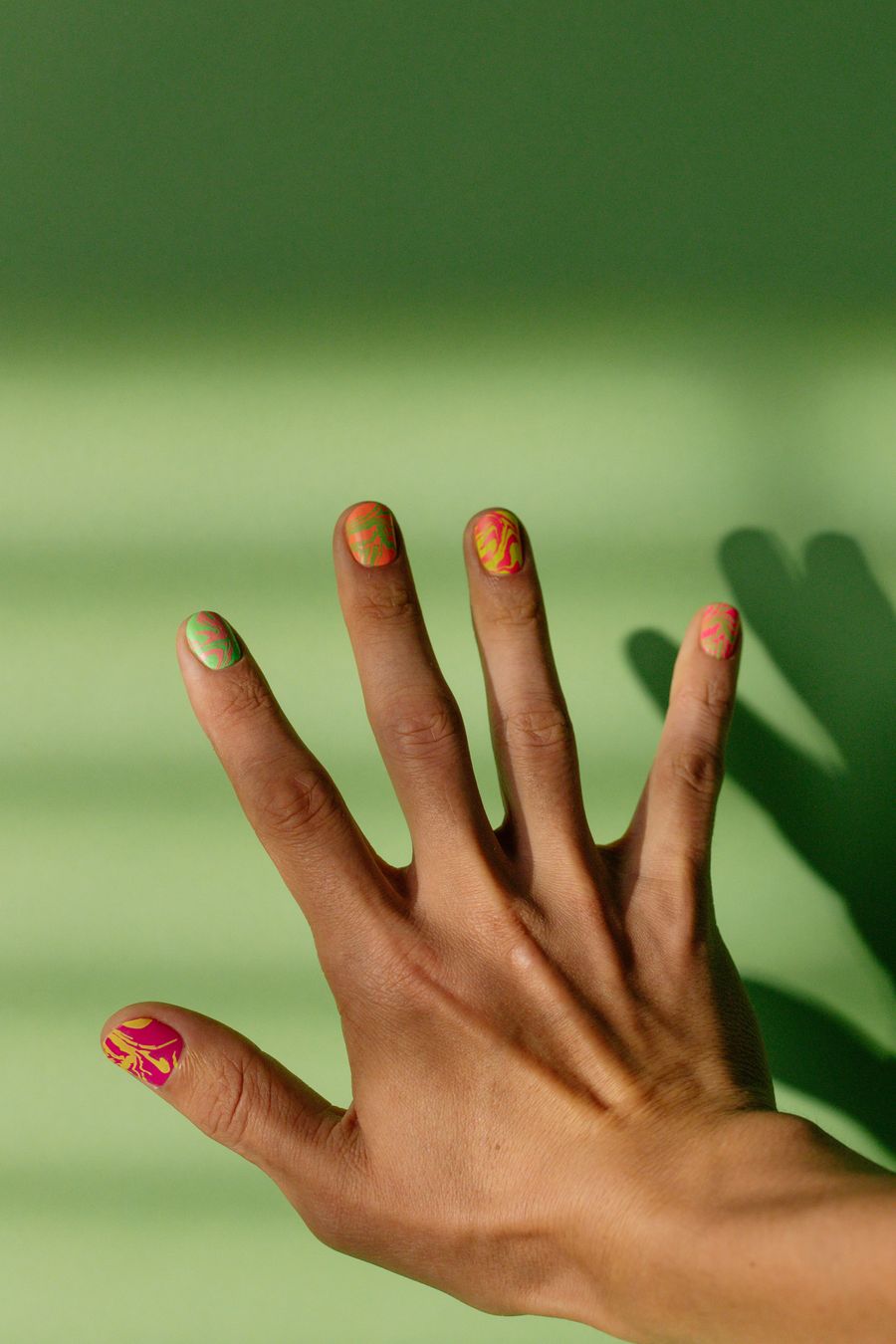
A virtual nail try-on is a digital visualization tool that maps nail shapes, colors, and art concepts directly onto a photo of your hand before you book a salon appointment or apply product. It tells you how specific shades harmonize with your skin undertones, whether a silhouette elongates your fingers, and how design proportions fit your natural nail beds.
However, a digital preview cannot assess physical nail plate health, measure apex thickness, or guarantee that a nail technician can duplicate algorithmic art with lacquer or builder gel. Used as a visual planning aid rather than a rigid blueprint, virtual try-on bridges the communication gap between your creative inspiration and realistic salon execution.
What Is Virtual Nail Try-On?
Virtual nail try-on technology allows you to explore manicure styles digitally without filing, buffing, or applying chemical products. Unlike traditional social media mood boards—which showcase manicures on hand models whose skin tones, finger lengths, and nail bed structures may differ drastically from your own—a virtual try-on evaluates designs directly against your own anatomy.
Modern virtual nail planning generally operates through two core methods:
- Prompt-Based Concept Generation: Generative design tools translate descriptive text (such as "milky pink jelly base with minimalist chrome swirls") into high-definition digital nail art renders.
- Two-Image Virtual Try-On: A composition workflow that pairs an uploaded photo of your hand with a selected or generated design image, projecting the artwork onto your fingertips to visualize scale, shape, and palette harmony.
On NailMoodLab, this workflow allows you to input custom prompts, receive hand-photo nail-shape suggestions, and test virtual overlays before downloading, sharing, or copying the design URL to bring to your appointment.
What a Virtual Preview Can Tell You
Digital try-on tools excel at answering macroscopic styling questions that are difficult to visualize from an isolated polish bottle or sample swatch stick.
1. Color Harmony Across Skin Undertones
A polish shade that appears flattering in a bottle can clash once applied against your skin. Virtual previews help identify:
- Warm vs. Cool Undertones: How warm olive, cool pink, or rich neutral skin tones interact with specific pigments.
- Contrast Ratios: Whether high-contrast dark lacquers make short fingers appear stubby or provide an intentional, graphic pop.
- Finish Profiles: How sheer milky jelly bases compare to dense, full-coverage opaque cremes against your natural cuticle line.
2. Silhouette Balance on Your Hand Proportions
Nail length and shape alter the perceived geometry of your entire hand. By testing different outlines on your hand photo, you can observe:
- Finger Elongation: How soft oval or almond shapes visually lengthen wide knuckles or compact fingers.
- Edge Softening: How rounded perimeters soften hands with prominent joints compared to sharp square edges.
- Free Edge Balance: Whether your fingers look best with a flush perimeter or moderate length extending past the fingertip.
3. Motif Density on Your Natural Nail Bed
A common failure mode in nail art is attempting to fit an intricate motif designed for long stiletto extensions onto a petite natural nail bed. A virtual preview allows you to test:
- Negative Space Breathing Room: Whether a micro French tip leaves sufficient visible nail plate to look clean.
- Accent Distribution: Whether confining art to a single ring finger accent maintains balance better than an all-over patterned set.
What a Virtual Preview Cannot Tell You
While virtual try-on software provides indispensable aesthetic guidance, digital pixels operate under mathematical rules that differ from physical salon chemistry and human anatomy.
+--------------------------------------------------------------------------+
|                     THE REALITY GAP: PREVIEW VS. SALON                   |
+------------------------------------+-------------------------------------+
| WHAT THE PREVIEW SEES (2D DIGITAL) | WHAT THE TECHNICIAN BUILDS (3D REAL)|
+------------------------------------+-------------------------------------+
| • Flat surface projection          | • Natural C-curve & apex thickness  |
| • RGB screen illumination          | • Ambient room & fluorescent light  |
| • Mathematical micro-lines         | • Viscous gel, lacquer & hand brush |
| • Clean digital cuticle line       | • Living eponychium & lateral folds |
| • Instant style switching          | • Physical nail health & wear limits|
+------------------------------------+-------------------------------------+
1. Three-Dimensional Nail Architecture and Apex Strength
A smartphone photograph is a flat, two-dimensional image. It cannot convey the natural curve of your nail plate:
- C-Curve and Curvature: Natural nails curve downward and inward. An algorithmic preview renders art as a smooth plane, whereas high natural curvature can cause straight geometric lines to warp when painted across a real nail.
- Structural Apex: Long nails require a built-up apex (a thicker layer of gel or acrylic positioned over the stress area) to prevent snapping. Previews do not show this necessary structural thickness.
2. Lighting Discrepancies and Screen Calibration
Screens generate color through backlit RGB subpixels, while nail polish reflects ambient light through suspended pigments:
- Display Shift: A shade viewed on an OLED smartphone screen will appear differently under warm salon lighting, outdoor sunlight, or cool office fluorescents.
- Chameleon Finishes: Dynamic finishes—such as velvet magnetic cat-eye, pearlescent chrome powder, and holographic flakes—shift based on movement and light angles. A static preview can only simulate one fixed angle.
3. Physical Nail Plate Health and Integrity
A virtual try-on cannot evaluate your physical canvas:
- Plate Brittleness: Previews cannot detect thin, peeling, or flexible nail plates that cannot support long extensions without structured overlays.
- Damage Concealment: Deep ridges or surface discoloration may require specific ridge-filling bases or rubber base gels that alter polish opacity.
4. Salon Product Chemistry and Tool Limitations
Digital art generators create lines that may be smaller than the bristles of a size 000 detail brush:
- Material Viscosity: Real gel polish flows and self-levels before curing under an LED lamp, meaning ultra-fine details may spread slightly compared to vector-like digital lines.
- Salon Inventory: Your local technician may stock different polish brands, tones, and chrome powders than the generic shade depicted in an AI generation.
Capabilities vs. Salon Reality: Direct Comparison
| Planning Factor | What Virtual Try-On Tells You | Physical Salon Reality | How to Use the Insight |
|---|---|---|---|
| Color Choice | Whether the tone complements your skin tone. | Pigment varies under ambient room light and topcoat types. | Use the preview to choose a color family (e.g., "warm mocha"), not an exact hexadecimal code. |
| Nail Shape | Which silhouette flatters your finger length. | Lateral sidewall health dictates how narrow a nail can safely be filed. | Check with your technician whether your natural walls support the shape. |
| Design Complexity | How busy the art looks across your whole hand. | Intricate hand-painted detail increases appointment time and cost. | Decide whether you want full sets or restrained accent nails before booking. |
| Length Preference | Visual balance between plate size and tip overhang. | Active lifestyles and typing habits dictate functional wearability. | Select a visual length, then confirm practical daily comfort. |
| Material Finish | Conceptual simulation of matte, chrome, or gloss. | Chromes require specific non-wipe gel bases and topcoat sealing. | Bring the preview as inspiration for the effect, not the exact chemical formulation. |
Step-by-Step: Using Virtual Try-On for Salon Planning
To extract maximum value from a digital preview, follow this structured five-step workflow:
[ Step 1: Capture ] ──> [ Step 2: Generate ] ──> [ Step 3: Overlay ] ──> [ Step 4: Audit ] ──> [ Step 5: Brief ]
 Flat, even photo       Structured prompt        Two-image preview        Scale & feasibility   Actionable salon aid
Step 1: Capture an Uncompromised Hand Photo
The accuracy of your preview depends entirely on your source photo:
- Place your hand flat on a plain, neutral background (a light towel or plain tabletop).
- Position your smartphone camera directly parallel to your hand (avoid wide-angle distortion or tilted selfie angles).
- Use soft, indirect natural daylight near a window to prevent harsh shadows and artificial color casting.
- Relax your fingers naturally; do not clench your fist or hyperextend your joints.
Step 2: Select or Generate Your Design Concept
Use structured parameters rather than broad keywords:
- Specify nail shape (e.g., short squoval or medium almond).
- Clarify the base color and opacity (e.g., sheer milky blush vs. opaque cream white).
- Define the art style and placement (e.g., micro French tips on all fingers vs. abstract swirls on ring fingers).
- If using NailMoodLab, utilize the optional exclusion prompt to eliminate unwanted elements like bulky 3D charms or excessive glitter.
Step 3: Run the Two-Image Try-On Preview
Upload your natural hand photo alongside your chosen concept image into the try-on tool. Inspect the rendered combination on your screen to evaluate overall balance.
Step 4: Apply the "Three-Gate" Feasibility Check
Before saving the preview, run it through three reality gates:
- The Scale Gate: Are the art details large enough to be painted by hand on your specific nail bed size?
- The Contrast Gate: Does the design create the visual balance you expected against your natural skin tone?
- The Complexity Gate: Does this set require specialized techniques (airbrushing, chrome burnishing, 3D gel) that your chosen salon offers?
Step 5: Save and Share Your Plan
Download the preview image or copy the URL link. Keep it saved in an accessible album on your phone alongside notes on your preferred adaptations.
Real-World Examples: Three Common Decisions
Scenario A: Testing French Tip Thickness on Short Beds
- The Dilemma: You have short natural nail beds and want a classic French manicure, but worry it will make your nail plates look truncated.
- Using Try-On: A preview comparing a traditional wide smile line against a 1-millimeter micro French tip quickly shows that the micro-line preserves negative space, creating an elongating effect rather than cutting the nail in half.
Scenario B: Auditing Dark Berry vs. Sheer Nude on Olive Hands
- The Dilemma: You want a deep autumn manicure but fear high contrast might highlight redness around your cuticles.
- Using Try-On: Uploading your hand photo reveals that a cool-toned plum accentuates yellow-olive undertones, while a rich warm berry provides clean, flattering contrast.
Scenario C: Evaluating Oval vs. Square on Wider Fingers
- The Dilemma: You wear square nails for daily durability, but want to see if an oval taper softens your hand profile.
- Using Try-On: The preview shows that a soft oval outline visually narrows the finger silhouette without requiring excessive free edge length.
The "What I Asked vs. What I Got" Trap
Community forums like Reddit's r/Nails and r/AllNails frequently showcase manicure disappointments categorized under "What I Asked vs. What I Got."
A significant percentage of these mismatches occur not because of technician negligence, but because clients bring digital renders containing physical impossibilities:
- The Airbrushed Cuticle Myth: AI generators render polish emerging seamlessly from flawless digital cuticles without a gap. In real application, technicians leave a tiny fraction of a millimeter margin to prevent polish pooling and premature lifting.
- The Infinite Depth Illusion: Digital images can render microscopic floating glitters suspended in impossible focal depths. Real gel application requires specific layer thicknesses to cure properly under UV/LED light.
- Perspective Warping: Inspiration photos taken at extreme angles create illusions of length that look completely different when looking straight down at your own hands.
Recognizing these traps allows you to use your digital preview constructively rather than expecting physical materials to behave like computer graphics.
How to Translate Your Preview into a Salon Brief
When you sit in the salon chair, present your virtual try-on as a collaborative visual reference. Use these sample discussion scripts:
"I used a virtual try-on to test how this color family looks against my skin tone. I really like this milky neutral base with fine emerald linework. Can we achieve a similar proportion on my natural nail length?"
"Here is a preview of the shape I was considering. Given my natural sidewalls and daily computer typing, do you recommend we stick to this soft oval or adjust the corners slightly for strength?"
"I love the minimalist aesthetic of this render. Which elements do you recommend we prioritize so the set stays clean on my nail bed size?"
This approach invites your technician's professional expertise, transforming your digital preview into a practical working plan.
Pre-Manicure Planning Checklist
Before finalizing your salon appointment, verify your plan against this quick checklist:
- [ ] Photo Clarity: Did I evaluate the design on a clear, top-down photo of my own hand taken in natural light?
- [ ] Shape Compatibility: Have I confirmed that my natural free edge has enough growth to support my chosen silhouette?
- [ ] Scale Awareness: Are the decorative motifs scaled realistically for my nail bed dimensions?
- [ ] Time & Budget Alignment: Does this level of hand-painted artwork fit within my planned appointment duration and budget?
- [ ] Open Mindset: Am I prepared to let my licensed nail technician adjust details to match physical product behavior?
Frequently Asked Questions
Can a virtual nail try-on measure my exact nail size?
No. Virtual try-on tools provide visual scale approximations based on your uploaded photograph. They do not measure physical millimeters or replace sizing kits for press-on nails.
Why does the polish shade in the salon look slightly different from my screen?
Smartphone screens emit light using digital color profiles, whereas nail lacquer reflects light through physical pigments. Screen brightness, device display settings, and salon lighting all cause subtle perceived color variations.
Can I use virtual try-on images for press-on nails?
Yes. Previews are helpful for determining which shapes and color palettes you prefer before ordering custom or pre-made press-on sets.
What should I do if my nail technician says a design cannot be copied exactly?
Trust their professional judgment. Ask which core element can be preserved—such as the color harmony or the negative-space layout—and allow them to adapt the linework for physical durability.
Next Steps: Plan Your Next Manicure with NailMoodLab
Ready to explore shapes and palettes tailored to your hands? Use NailMoodLab to generate bespoke design concepts, discover flattering silhouettes with hand-shape analysis, and test looks on your own fingers using our virtual nail try-on tool.
Download your favorite concepts, share them with friends, and bring your preview to your next salon visit as a clear, confidence-building discussion guide. (Note: Live subscription checkout on NailMoodLab is currently disabled; all preview workflows serve as complimentary planning aids.)
10. Owner Review Checklist
- [ ] Product Verification: Confirm that current site features (prompt generation, hand-shape analysis, two-image try-on, URL sharing) match all described functionality.
- [ ] CTA Availability: Verify that all internal links (
/,/nail-shapes-analysis.html,/nail-try-on.html) resolve correctly and reflect that live checkout remains disabled. - [ ] Author & Reviewer Identity: Add verified author and professional nail reviewer credentials prior to live deployment.
- [ ] SERP & Link Audit: Recheck external community discussion links and platform references for active status before final publication.
- [ ] Editorial Approval: Sign off on technical tone, E-E-A-T compliance, and evidence boundaries. Do not publish automatically.